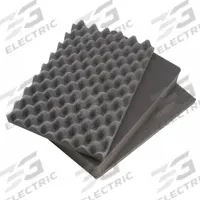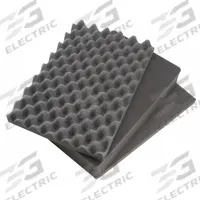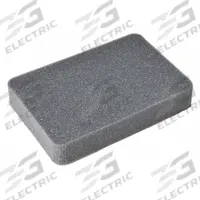

PELICAN Replacement Foam Set for 1660 (MPN 1661). Key specifications — Brand: PELICAN.
SKU 3G-OTH-350776
Need installation or engineering help?
Ask a question
Frequently Asked Questions
What is the PELICAN Replacement Foam Set for 1660 used for?
The PELICAN Replacement Foam Set for 1660 (MPN 1661) is used to customize the interior of a PELICAN 1660 case. The cubed pick-and-pull foam inserts allow users to create custom cutouts for securely transporting sensitive equipment, tools, or instruments in industrial, military, or field-service applications.
What are the specifications of the PELICAN Replacement Foam Set for 1660?
The PELICAN Replacement Foam Set for 1660 (MPN 1661) is a cubed pick-and-pull foam insert set designed specifically for the PELICAN 1660 case. It includes multiple layers of foam that can be easily shaped to fit your equipment. The set is manufactured by PELICAN and is identified by manufacturer part number 1661.
Where to buy the PELICAN Replacement Foam Set for 1660 worldwide?
You can source the PELICAN Replacement Foam Set for 1660 (MPN 1661) worldwide through 3G Electric. As a global industrial equipment distributor, 3G Electric handles full logistics, customs clearance, and delivery to your location. Contact 3G Electric to place an order for this PELICAN foam set.
How to install the PELICAN Replacement Foam Set for 1660?
To install the PELICAN Replacement Foam Set for 1660, first remove any existing foam from the case. Place your equipment on the bottom foam layer and mark the outline. Use the pick-and-pull cubes to remove foam sections, creating a custom cavity. Stack additional layers as needed, then close the case to ensure a snug fit.
Used in
Common applications for PELICANPELICAN Products
3G Electric supplies PELICAN cubed pick & pull foam inserts. We supply genuine products with in-stock availability on common SKUs, technical documentation, commissioning support, and warranty service — worldwide.