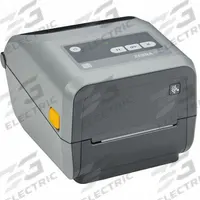

ZEBRA Desktop Printer: Direct Thermal/Thermal Transfer, 4.75 in Max. Print Wd
The ZEBRA ZD621 Desktop Printer is a direct thermal and thermal transfer printer with a 4.75-inch maximum print width and 6 in/sec print speed. It features push-button controls, a cutter dispensing style, USB…
SKU 3G-OTH-576118
Need installation or engineering help?
Ask a question
Product Description
The ZEBRA ZD621 Desktop Printer is a direct thermal and thermal transfer printer with a 4.75-inch maximum print width and 6 in/sec print speed. It features push-button controls, a cutter dispensing style, USB connectivity, and Bluetooth wireless communication. 3G Electric interprets your demand and sources this genuine ZEBRA printer (MPN ZD6A043-321F00EZ) across 14 industrial departments, with specialist expertise in controls to support your labeling and tracking applications.
Frequently Asked Questions
What is the ZEBRA ZD621 desktop printer used for?
The ZEBRA ZD621 is a direct thermal and thermal transfer desktop printer used for industrial labeling, asset tracking, and barcode printing. It suits manufacturing, logistics, and warehouse environments where durable labels are required. 3G Electric sources this genuine ZEBRA printer across 14 industrial departments, with specialist controls expertise to support your tracking applications.
What are the specifications of the ZEBRA ZD621 printer?
The ZEBRA ZD621 printer (MPN ZD6A043-321F00EZ) offers a 4.75-inch maximum print width, 6 in/sec print speed, push-button controls, cutter dispensing, USB connectivity, and Bluetooth wireless communication. It supports both direct thermal and thermal transfer media. 3G Electric supplies this genuine ZEBRA unit for labeling and tracking needs.
Where to buy the ZEBRA ZD621 printer worldwide?
3G Electric supplies the genuine ZEBRA ZD621 desktop printer (MPN ZD6A043-321F00EZ) to customers worldwide. We handle full logistics, customs clearance, and delivery for global orders. As a sourcing partner across 14 industrial departments, we provide this printer for labeling and tracking applications. Contact us for availability and lead time.
How to install the ZEBRA ZD621 printer?
To install the ZEBRA ZD621 printer, connect via USB or Bluetooth to your computer, load the appropriate direct thermal or thermal transfer media, and install ZEBRA's driver software. Configure print settings for your label size and type. 3G Electric can provide sourcing support for this genuine ZEBRA printer and related supplies.
ZEBRA Products
3G Electric supplies ZEBRA direct thermal & thermal transfer use desktop printers. We supply genuine products with in-stock availability on common SKUs, technical documentation, commissioning support, and warranty service — worldwide.